For game stores

Tournaments, ratings and TV screens for your game store.

Top Down Tabletop is the free app your players use to track games and climb ELO ladders in Magic, Pokémon, Lorcana, One Piece, Yu-Gi-Oh!, Star Wars: Unlimited, Riftbound and Dice Throne. Store Pro puts your store at the centre of it: run tournaments that count toward their ratings, show live brackets and your own ads on your TVs, and get found by players nearby.

No card. $20/month after the trial.
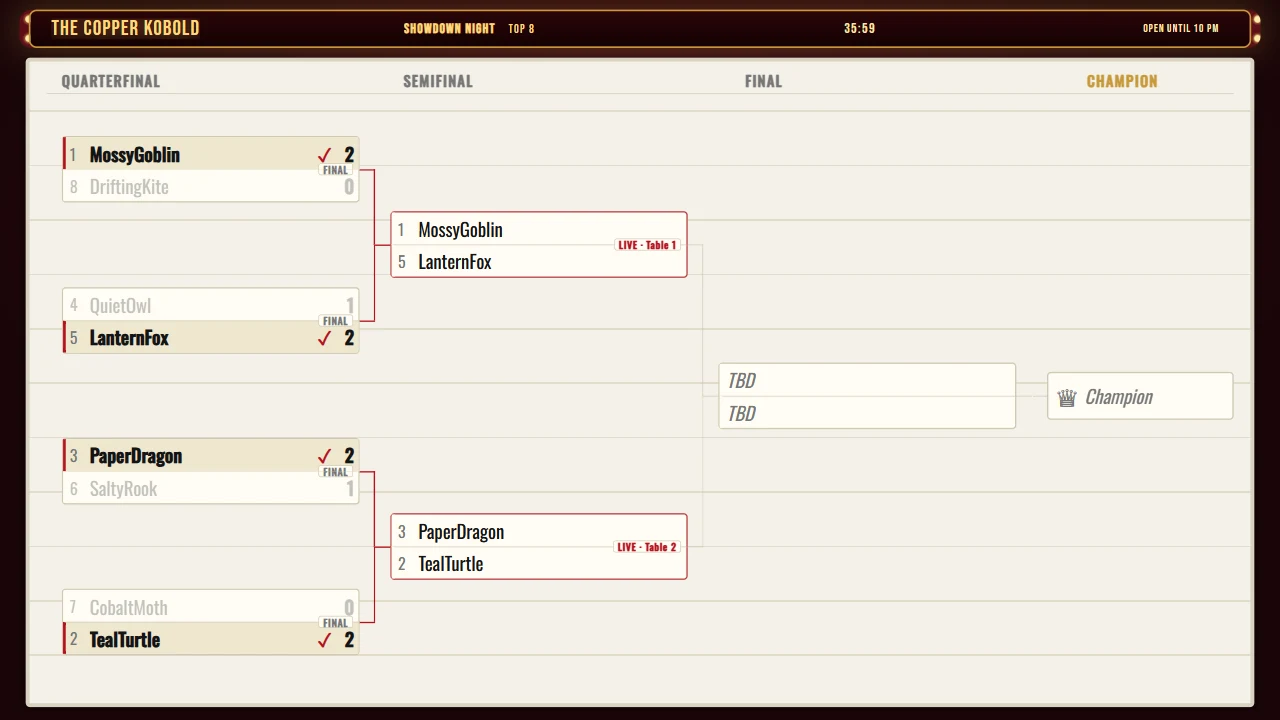
A store TV showing the bracket of a sample tournament.
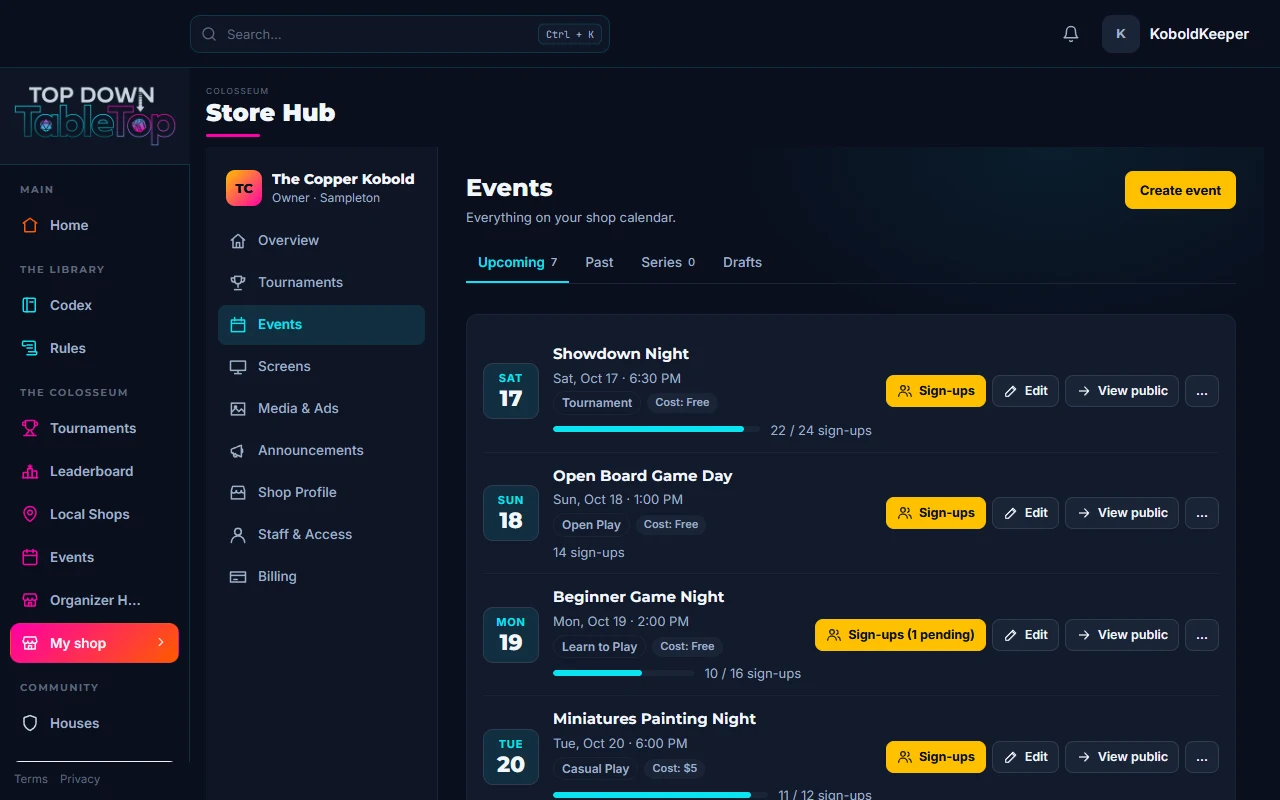
The Store Hub events list of a sample store, with upcoming events and their sign-up counts.

Sample data.

Works with
  • Magic: The Gathering
  • Pokémon TCG
  • Disney Lorcana
  • One Piece Card Game
  • Yu-Gi-Oh!
  • Star Wars: Unlimited
  • Riftbound
  • Dice Throne

Players arrive already playing.

  • Your regulars find opponents between events in Quick Match, by game and format.
  • Every format shows its rules before they queue.
  • They play over webcam, at home or anywhere.

Their rating is why they come back.

  • Every tournament at your store updates each player’s in-person rating.
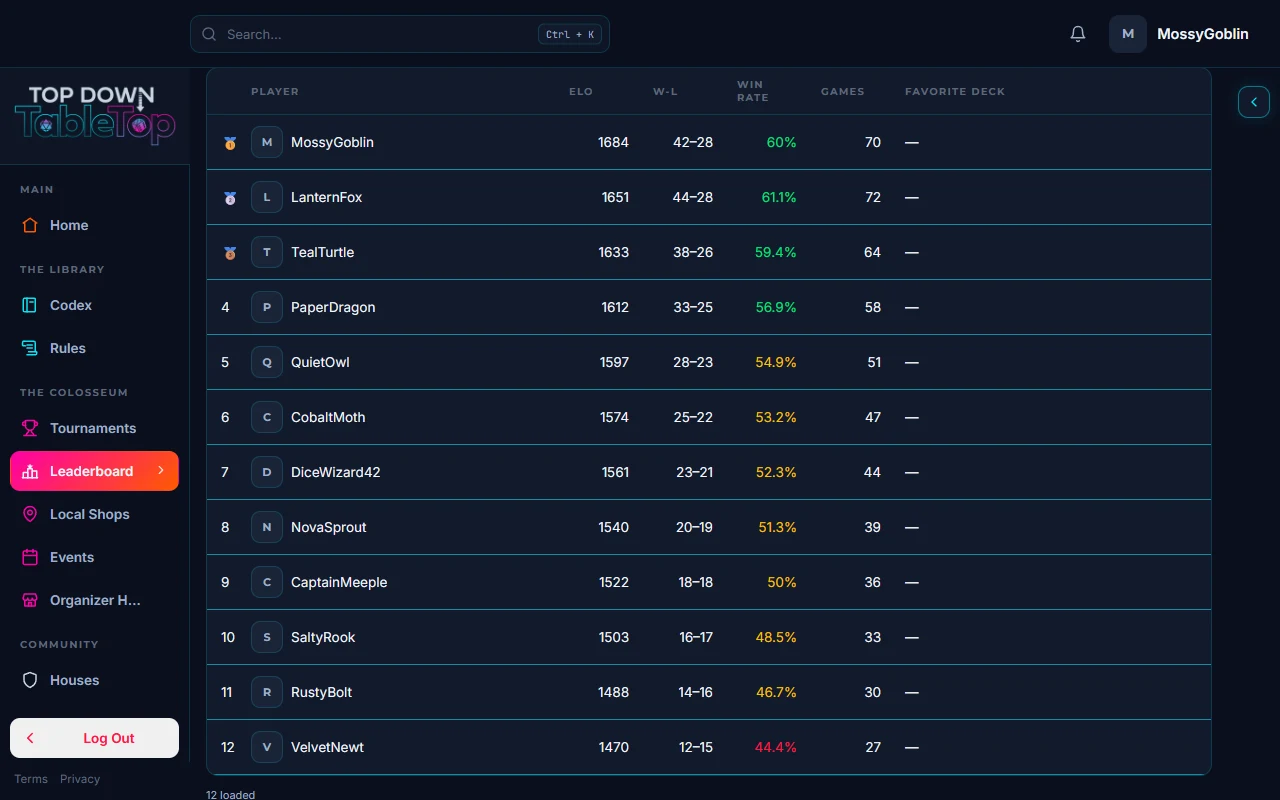
  • A leaderboard per game, online and in person.
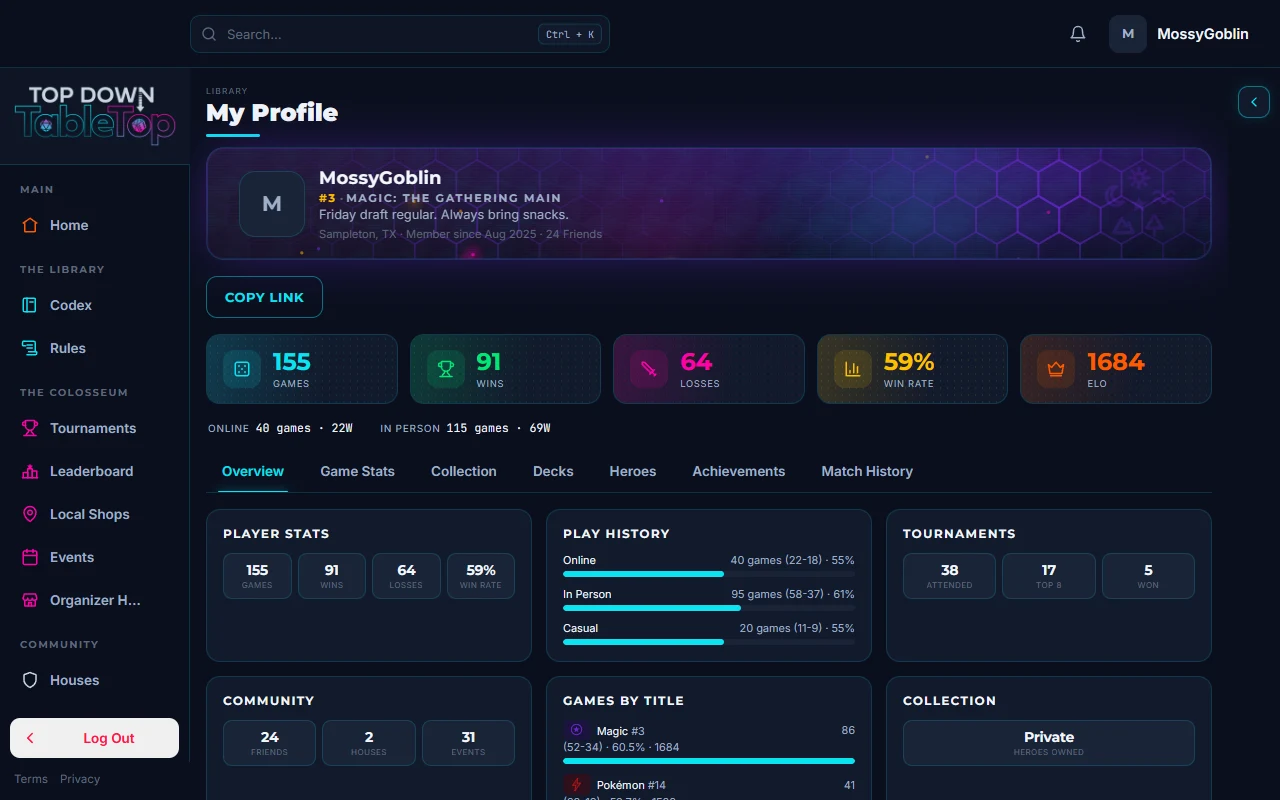
  • Profiles show every game a player rates in.
A player profile page for a sample player, showing ELO and stats.
Every result at your store updates the player’s in-person rating for that game.
A leaderboard for a sample game with sample players, their ELO and win rates.

Run the night from your phone.

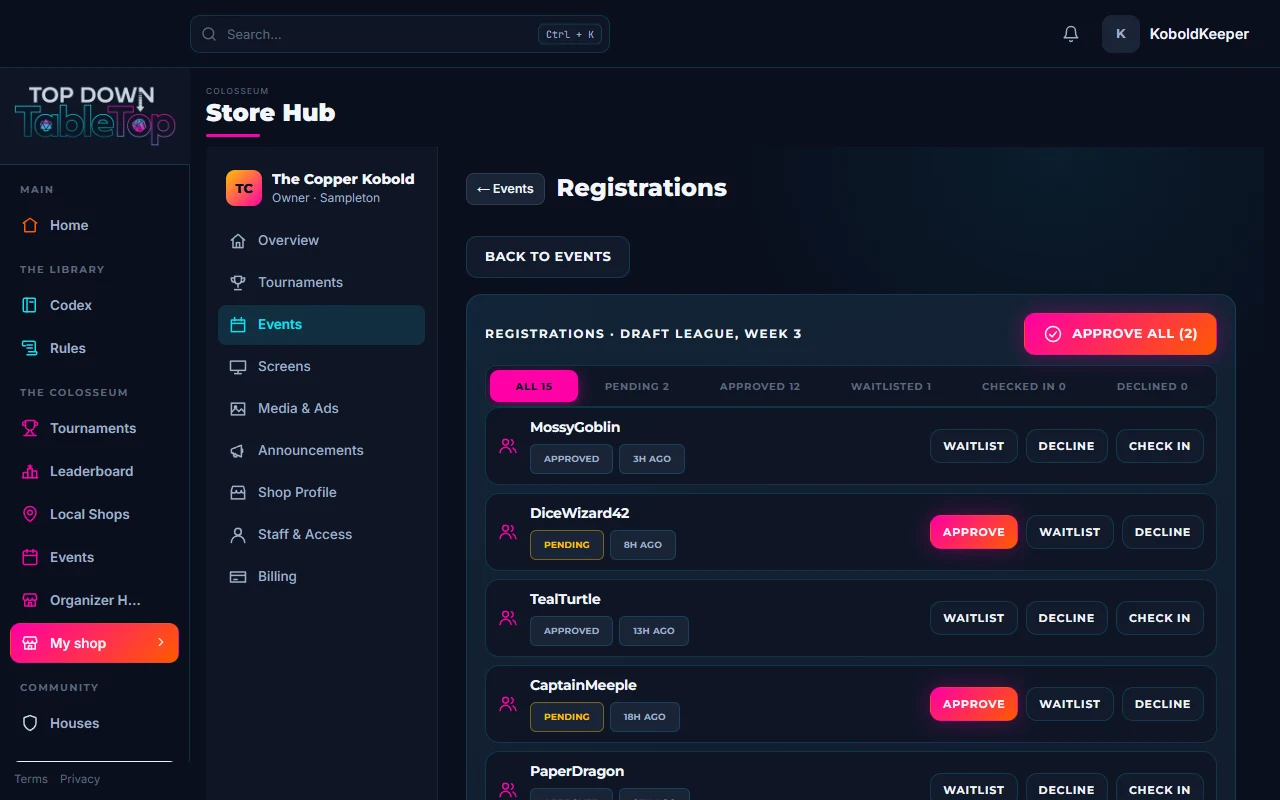
  • Sign-ups, check-in and pairings in one place.
  • Players report their own results from their phones.
  • Standings and the bracket update as results come in.
The sign-up roster for a sample event.
Pairings and standings update the moment a result is reported.
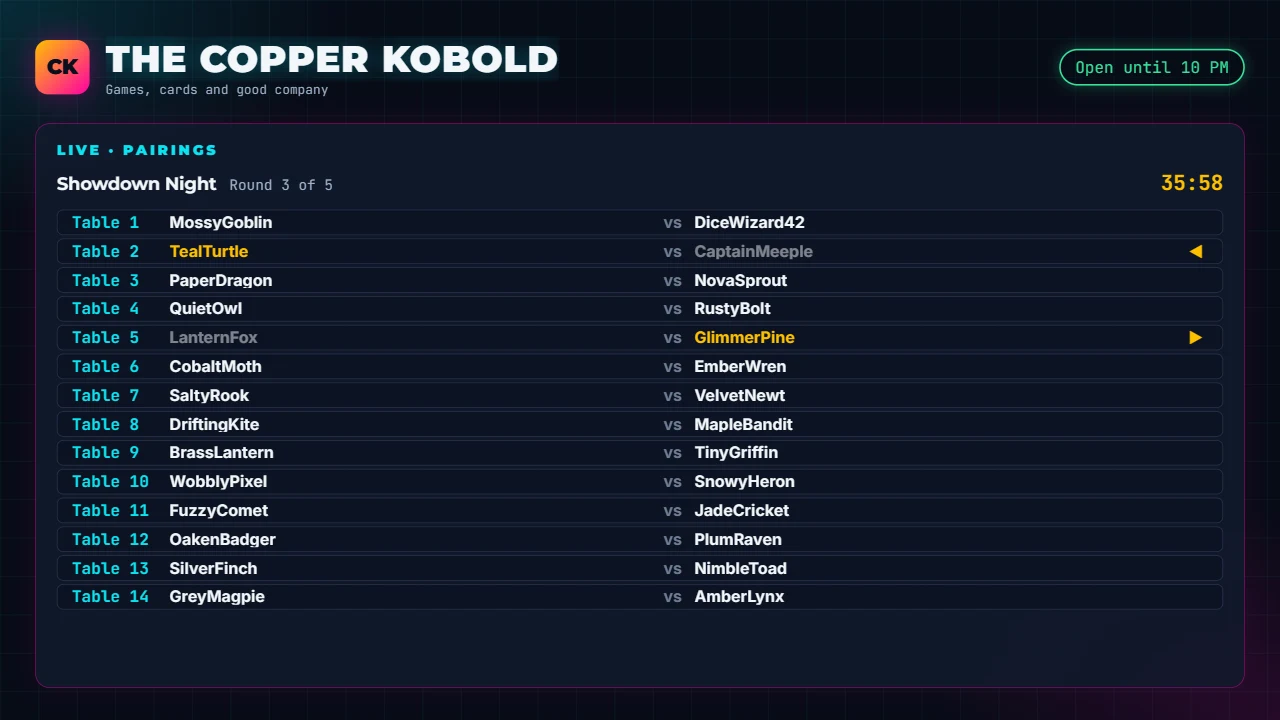
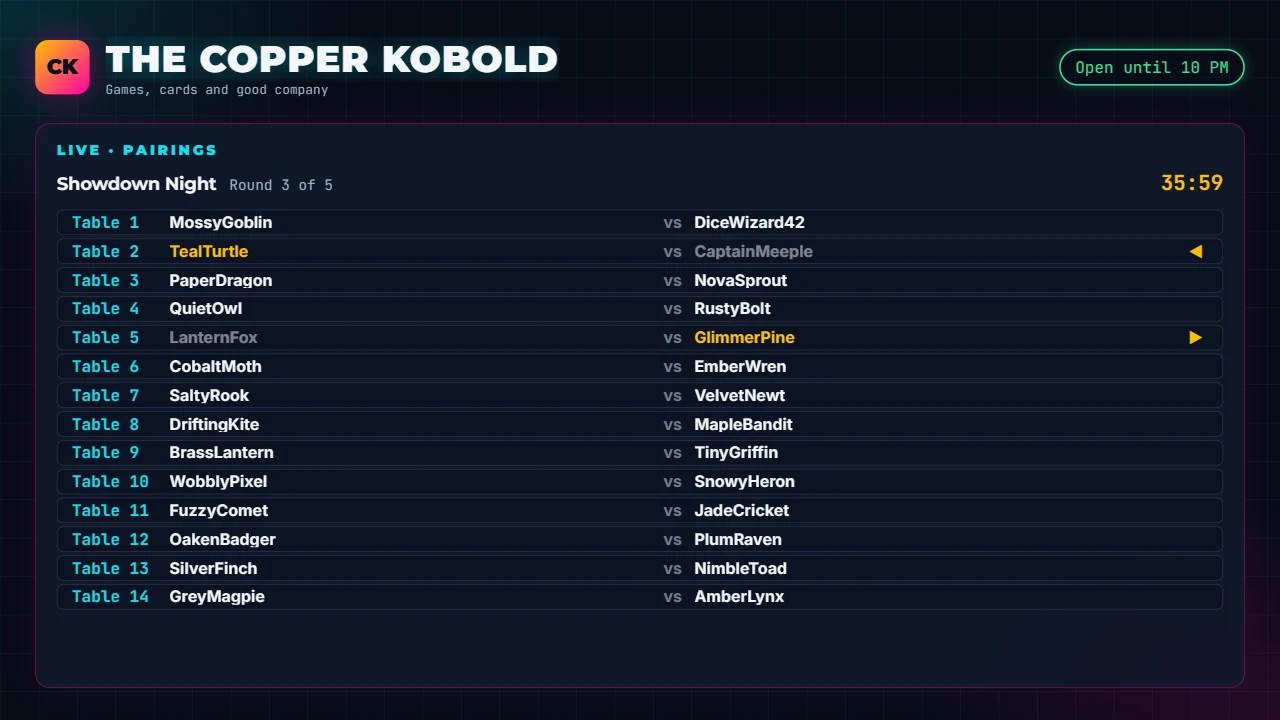
A store TV showing live round pairings for a sample tournament.

Your TVs work all week.

  • Idle screens show your events, announcements, new releases, store hours and up to 15 of your own ads.
  • You set the rotation by day and time.
  • A tournament takes over the screens you pick, then hands them back. Lend a screen to an organizer with a screen pass and take it back in one tap.
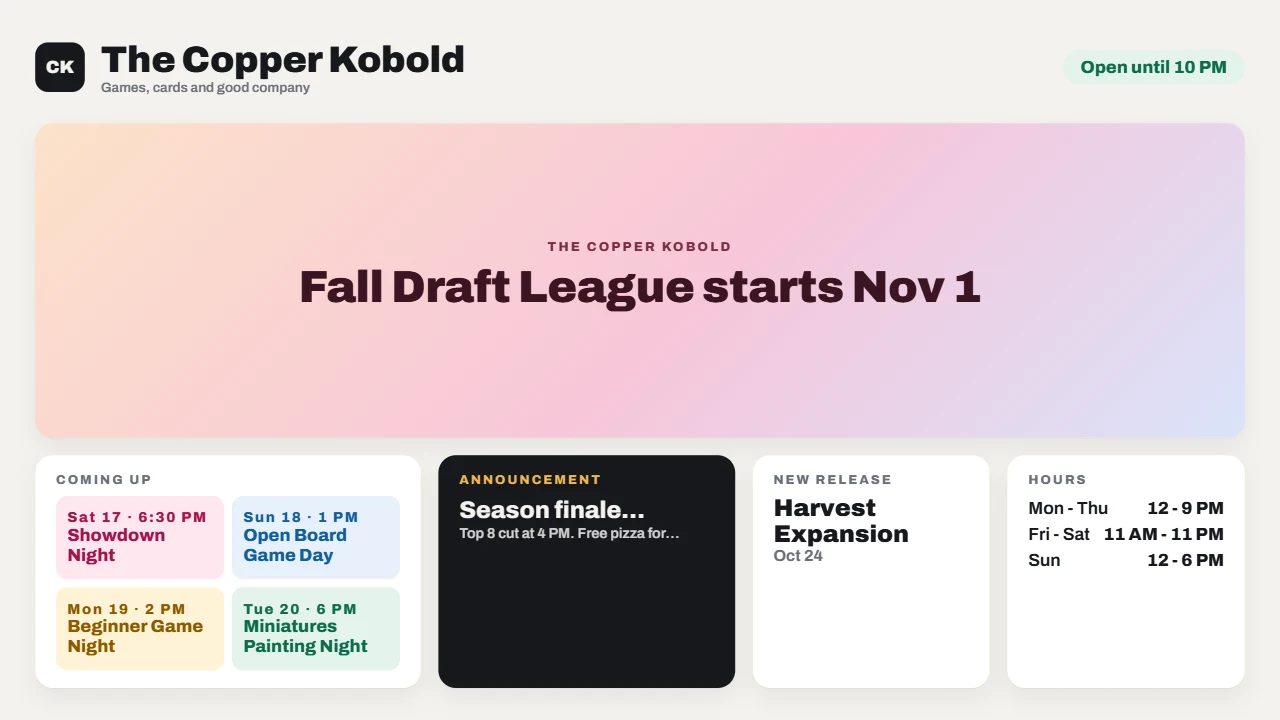
A store TV showing a sample store’s coming events, an announcement, a new release and its hours.
Open tdtt.tv on any TV with a browser and type the code into your Store Hub.
A store TV taken over by a running sample tournament, showing round pairings.
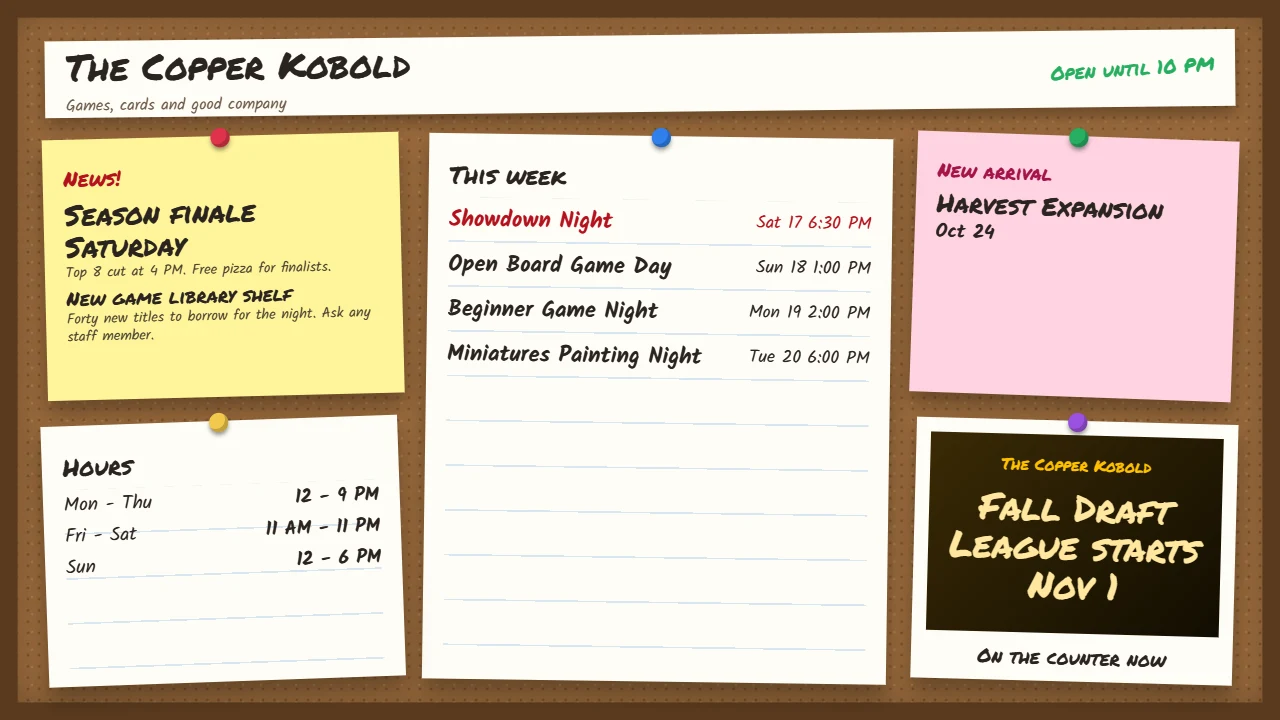
A store TV with a pinned-notes look showing sample store content.

Which TVs work?

Any screen that can open a web page works. Here is how common brands do it.

Works on the TV

Samsung LG Fire TV Stick / Cube Laptop / mini PC / Xbox on HDMI

Add one free app

Sony Chromecast with Google TV / Google TV Streamer

Needs a plug-in stick

Vizio Roku device Apple TV

Plug in a Fire TV Stick or a Google TV device, or connect a laptop with an HDMI cable.

Depends on the home screen

TCL Hisense Insignia / Toshiba Philips / Sharp onn. / Westinghouse / Element

These brands ship with different home screens. Look at yours: Google TV means add one app, Roku means you need a stick, and Fire TV or VIDAA works as it is.

Tip: set tdtt.tv as your TV’s home page so it comes back after the TV is turned off.
Get paid and get found.

  • Take entry fees online when players sign up.
  • Your store page on the map where local players look.
  • Post news and events to your store’s feed.
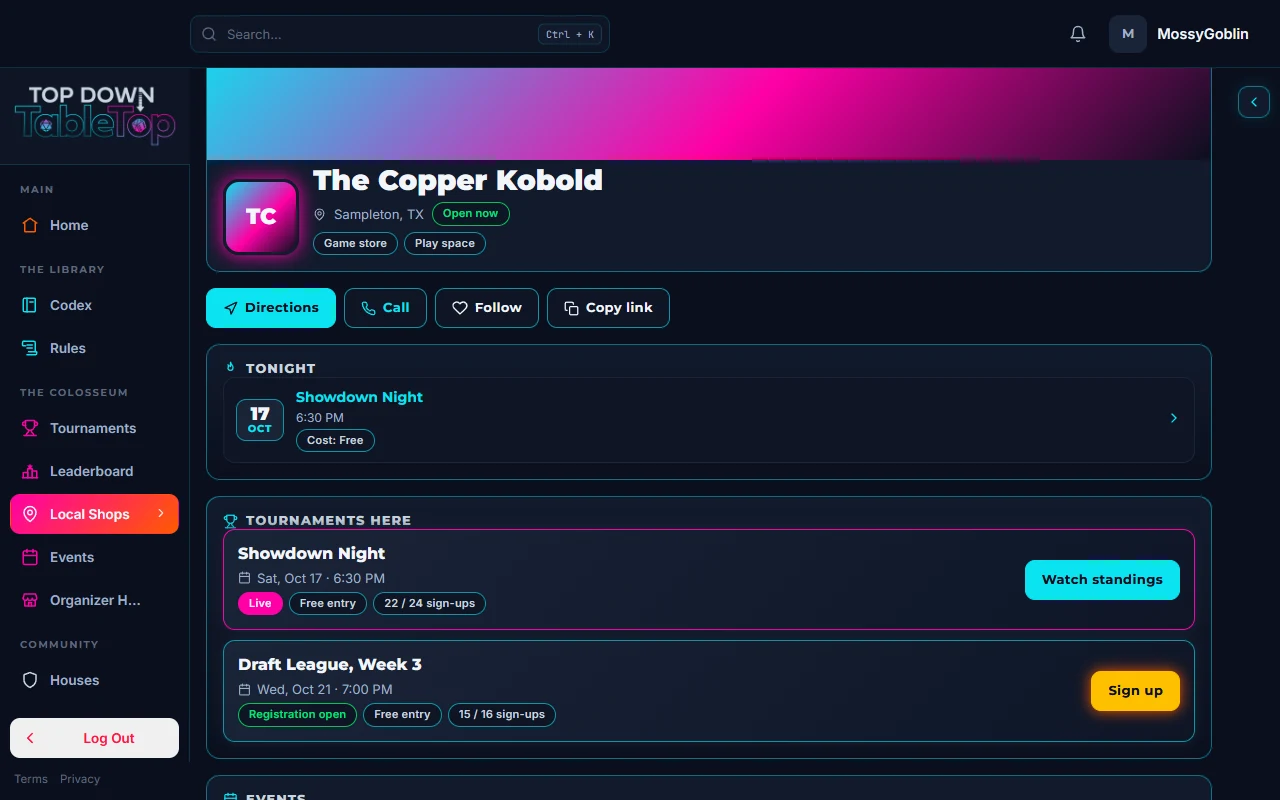
A public store page for the sample store The Copper Kobold, listing its events.
Players find your store and its events on the map.
Get started

Set up in three steps.

These are the real screens you will use, shown with sample data.

  1. Submit your shop

    Find your store on the map or add it. Every submission is reviewed and approved before it goes live.
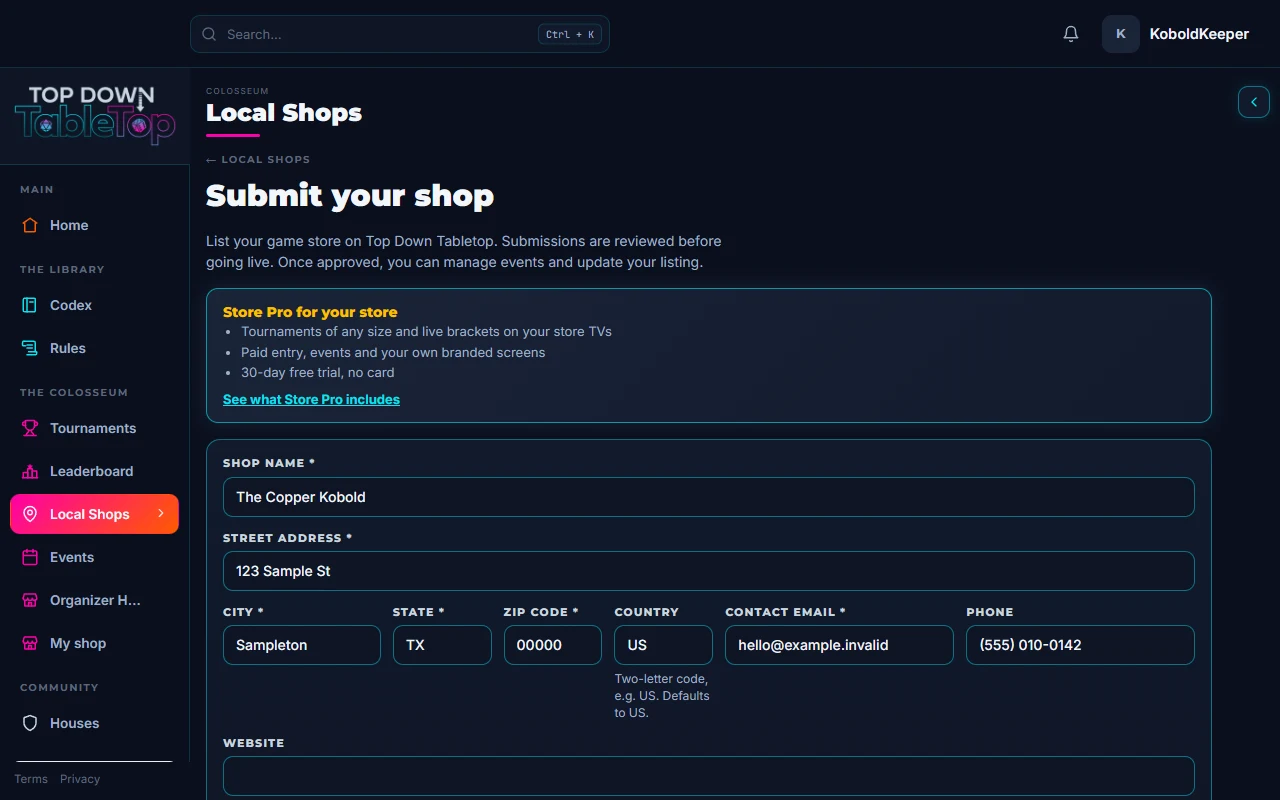
    The Submit your shop form, filled in with sample store details.
    Sample data. Sample store, sample address.
  2. Set up your event and screens

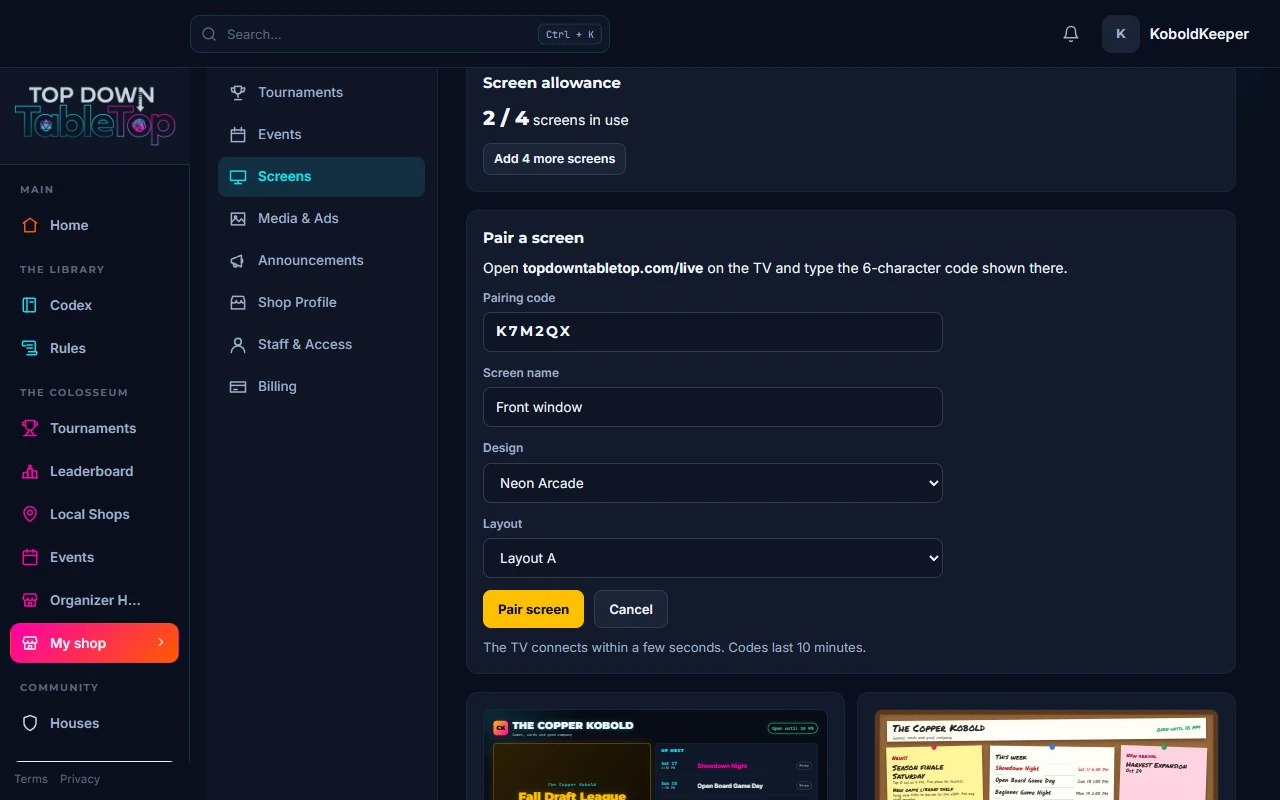
    Create the event step by step: game, format, sign-ups and entry fee. Then open tdtt.tv on a TV to get its code, enter it under Pair a screen in your Store Hub and pick a look.
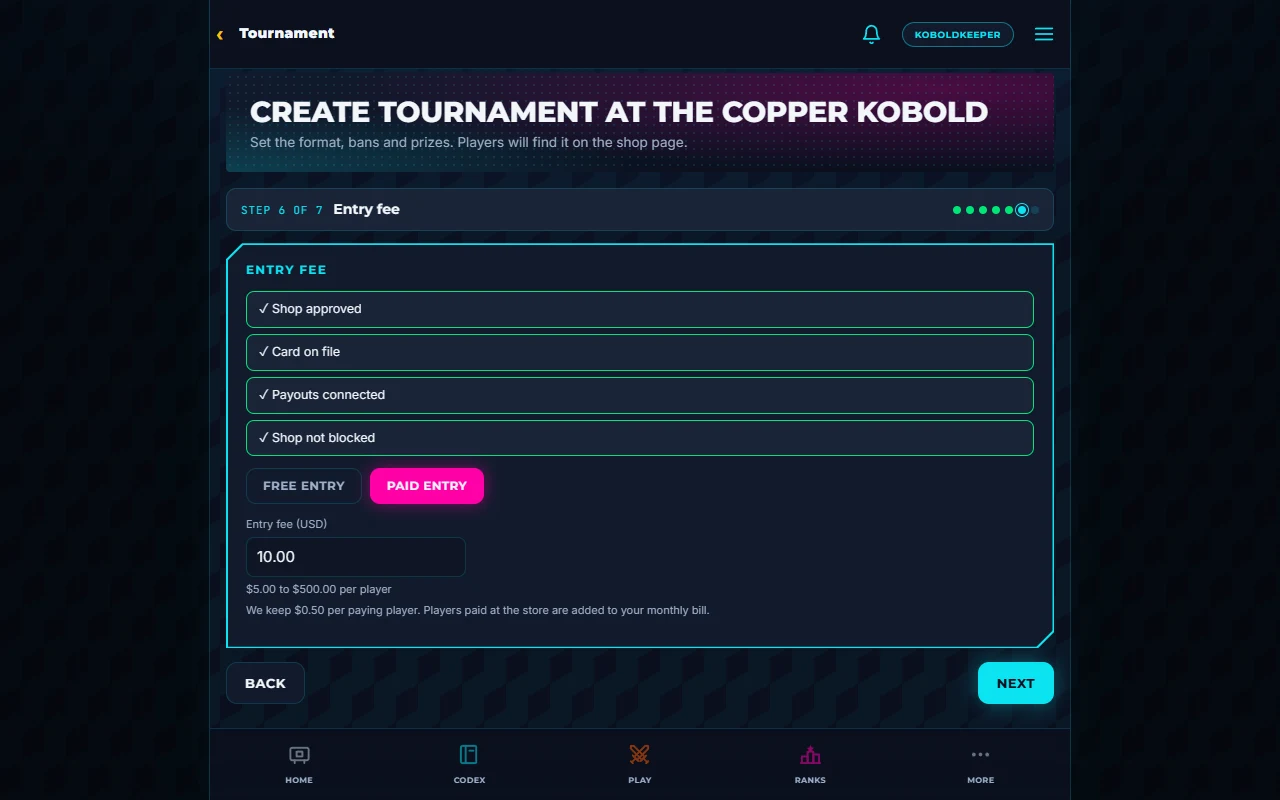
    The tournament builder on its Entry fee step with Paid entry selected, showing the $0.50 per paying player line.
    Sample data. Sample event.
    The Store Hub Screens page with the Pair a screen panel open and a sample pairing code entered.
    Sample data. Sample pairing code, sample screen name.
  3. Welcome players

    Players sign up ahead of time. Check them in at the door and run rounds from your phone while the TV shows the night.

    The sign-up roster for a sample event.
    Sample data. Sample names.
Simple pricing

Start free. Upgrade when your nights grow.

Free

$0

  • Your store on the map
  • Events
  • Tournaments up to 16 players
  • 1 screen
List your shop
30 days free

Store Pro

$20/month or $200/year

  • Any size
  • 4 screens
  • Every look
  • Your ads and the takeover

Add-on: More screens

+4 screens for $10/month or +$100 a year

4 more screens (8 total), with 100 MB of image storage per shop.

Start 30-day free trial

30 days free. No card.

Paid entry

  • Set the entry fee yourself, from $5 to $500.
  • $0.50 per paying player, on Free and Store Pro events alike.
  • Players you take payment from at the store are added to your monthly bill.
  • Comped players are free.

Prices in US dollars and subject to the Store Subscription Terms. The $0.50 per paying player applies whether players pay in the app or at the store with your own payment method, on Free and Store Pro events alike. In the app it comes out of the entry; for players you collect from yourself it is added to your monthly bill. Comped players owe nothing. Add 4 more screens for $10 a month.

Questions

Before you start.

How is this different from a bracket tool?

A bracket tool runs one night. Top Down Tabletop is where your players already track their games, so every event you run feeds the rating they’re climbing, and your store shows up where they look for games.

Do I need a card to start the trial?

No. You get 30 days of Store Pro free. Add a card any time to keep going. Without one, Store Pro ends after the trial and your free features keep working.

Can I cancel?

Yes, any time. Your plan runs to the end of the period you have paid for.

What tournament formats can I run?

Swiss, single elimination, Swiss with a top cut, and groups with a top cut. 2v2 teams are available in Swiss.

Who pays the $0.50 per player?

The $0.50 applies to every paying player, whether they pay in the app or at your store with your own method (cash, a card reader, anything off-app). In the app it comes out of the entry. For players you take payment from at the store, it is added to your monthly bill: on the Store Pro invoice, or as one monthly fee invoice on Free. Comped players owe nothing, and events with free entry cost nothing.

What TVs work?

Any TV or monitor with a web browser, or a small stick computer. Open tdtt.tv on it and pair it with the code it shows.

Can my staff help run things?

Yes. Add managers and assistants and choose what each can do.

What happens to my events if I stay on Free?

They keep working. Free events are capped at 16 players and do not include the live tournament screen on your TV.

Your next event night starts here.

30 days free. No card. Set up before your next event.